Ondes PRO MCP server
Let your AI run your business
Every Ondes PRO workspace ships with an MCP server (Model Context Protocol). Your AI assistant — Claude, ChatGPT, Cursor, Visual Studio Code… — connects in a minute to your store, inventory, quotes, projects and calendar. It reads real data, acts with your permissions, and changes nothing without your approval.
Type your workspace name: the configurations on this page adapt. It is remembered in this browser only.
One sentence, several modules
A specialised MCP server only sees one piece of software: invoicing, or the CRM. Ondes PRO’s covers the whole business, so a single request can cross several modules.
What is an MCP server, in two sentences?
The Model Context Protocol is an open standard, launched by Anthropic in 2024 and since handed to the Linux Foundation’s Agentic AI Foundation, that lets an AI assistant plug into software the way a USB stick plugs into a computer. The software exposes tools; the assistant discovers them and uses them when your request calls for it.
In practice, you no longer export a spreadsheet to paste it into a chat: the assistant fetches up-to-date information itself and can act inside your business software. To dig deeper, read our complete guide to the Model Context Protocol.
- to connect an assistant, with nothing to install server-side
- 1 min
- stable, giving access to the API’s ~135 resources
- 8 tools
- tokens of permanent context, instead of 44,000 for a documentation file
- 2,700
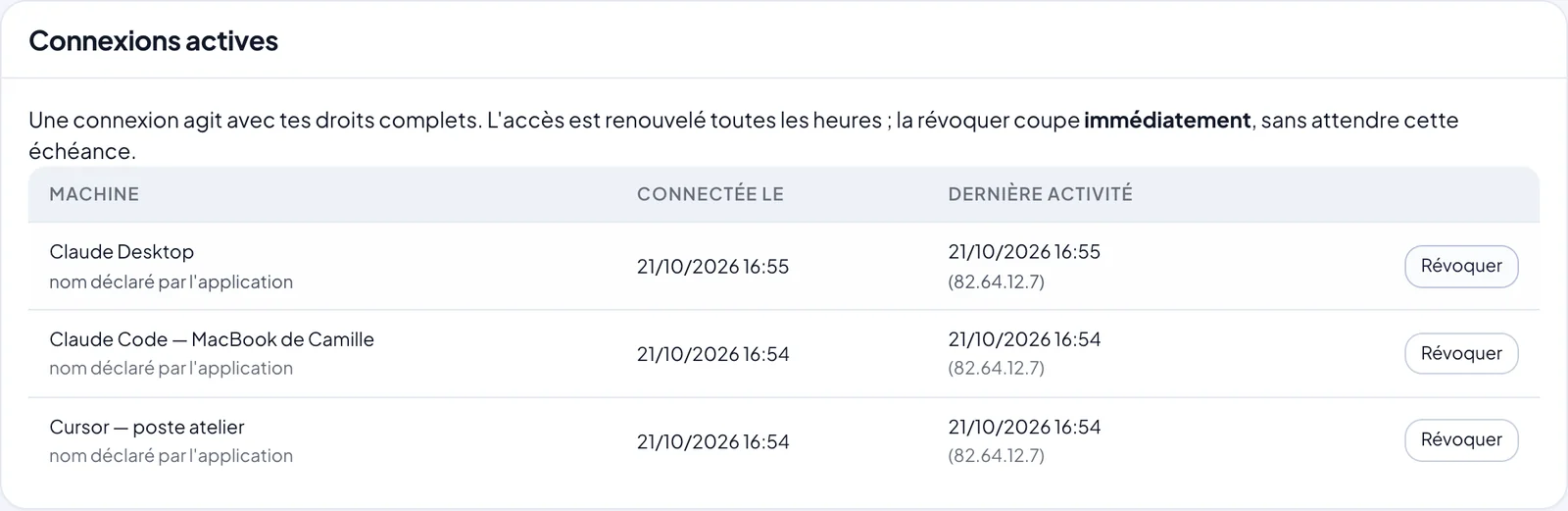
- lifetime of an access token, revocable at any time
- 1 h
Connect your assistant
The server follows the standard protocol: any MCP client that speaks HTTP can connect. Here is how to do it with several common ones.
- ClaudeClaude Desktop, claude.ai and Claude Code: one custom connector, one OAuth sign-in, and you are set.Read
- ChatGPTChatGPT developer mode accepts your workspace as an MCP connector, over OAuth.Read
- CursorOne `.cursor/mcp.json` file, one OAuth sign-in: Cursor’s agent codes against your real workspace.Read
- Visual Studio CodeGitHub Copilot agent mode reads and calls your workspace from `.vscode/mcp.json`.Read
The shortest path: Claude Code
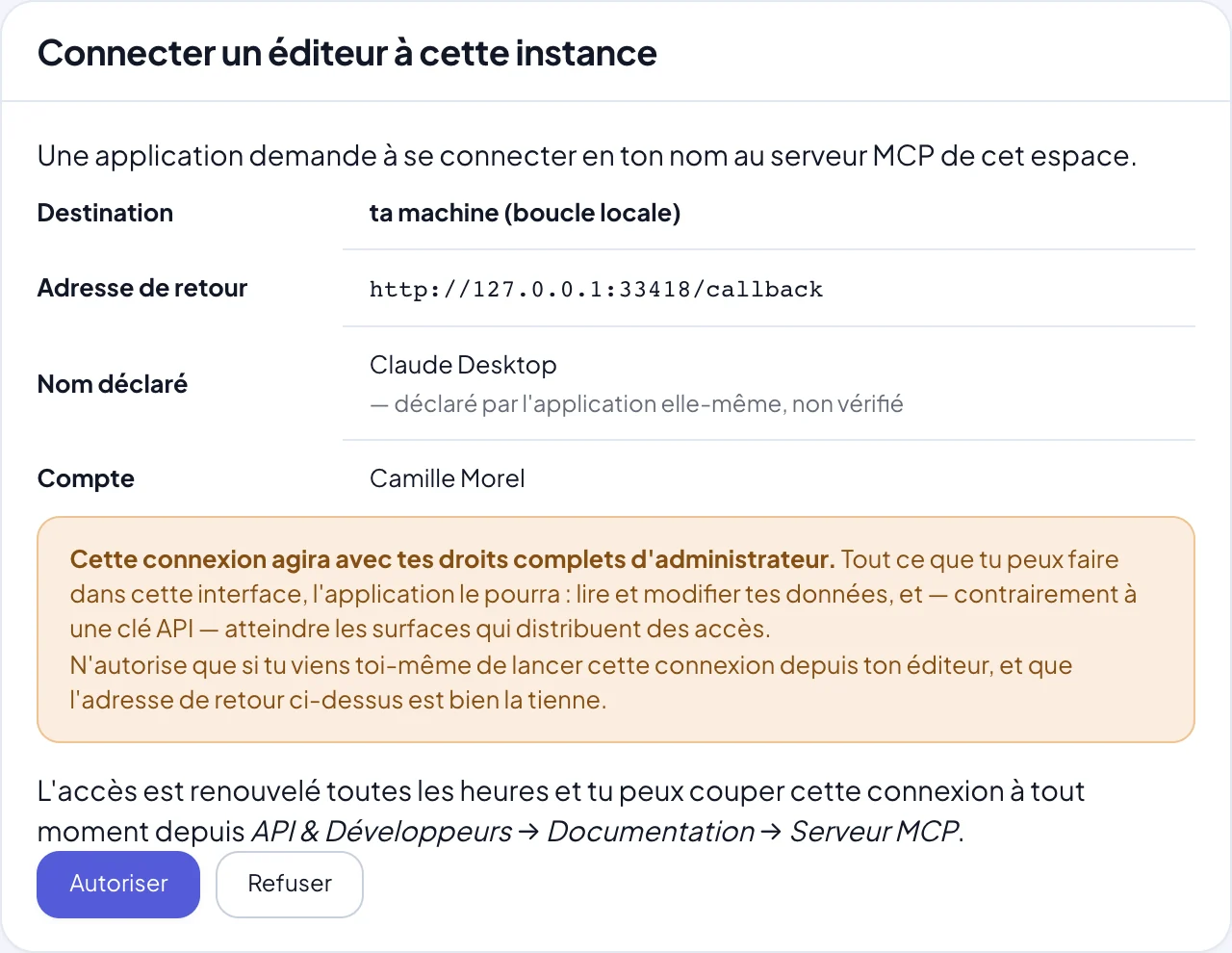
One command, then /mcp inside Claude Code: a window from your workspace opens, you sign in, and the assistant can reach your modules.
Where to set it up : One terminal command, then /mcp inside Claude Code to sign in.
OAuth connection (recommended)
No key to copy: a window from your Ondes PRO workspace opens to authorise the connection.
claude mcp add --transport http ondes https://your-workspace.ondes.pro/mcp/Vendor documentation : code.claude.com
What your AI can do in Ondes PRO
- Sell: find an order, create a promo code, update a product, track a shipment — see the online store.
- Invoice: draft a quote, turn it into an invoice, list overdue invoices, issue a credit note — see invoicing.
- Manage stock: check levels, record a delivery, start a production order — see inventory management.
- Follow customers: enrich a CRM record, add a note after a call — see the CRM.
- Organise: create Kanban cards, schedule a meeting, set a recurring appointment — see Kanban and the calendar.
- Communicate: sort and answer emails, prepare a campaign — see email.
- Automate: describe a flow in one sentence and get a draft automation — see automations.
Eight tools, and not one more
Exposing every resource as a tool would flood the assistant’s memory. The server offers eight stable tools: six to understand the API without guessing, two to act.
ondes_etatReadConnection status
Who is connected, which modules are reachable and which permissions the connection carries. The assistant calls it once to learn its scope.
ondes_guideReadAPI guide
The API guide, section by section: a summarised table of contents first, then only the sections that matter (pagination, idempotency, payments…).
ondes_chercherReadSearch
Searches a business term (“quote”, “stock”, “webhook”) across both the resource inventory and the guide.
ondes_ressourceReadResource sheet
Everything needed to call one resource correctly: URL, verbs, typed and required fields, filters, ordering, actions, required permission, test twin.
ondes_impossibleReadWhat the API does not do
The list of what deliberately does not exist. The assistant checks it before inventing a URL: this is what keeps it from hallucinating.
ondes_exempleReadComplete recipes
Whole scenarios already verified against the real API: create, read without N+1 calls, invoice, subscribe to events.
ondes_appelerWriteCall the API
Runs a real call with the user's identity. Writes go to test mode by default, and a dry run validates a request without writing anything.
ondes_assistantWriteAsk the Ondes PRO assistant
Asks a business question to the built-in assistant, which aggregates several modules. Its writes come as a plan, executed only after approval.
Documentation that never goes stale
Until now, plugging an AI into software meant handing it a large documentation file. Ours weighed 44,000 tokens: a quarter of an assistant’s working memory, for a document it only uses a few percent of — and which went out of date the moment it was copied into a repository.
The MCP server serves the same documentation on demand, section by section, generated on every call from your workspace’s real routes. It only describes the modules you can access, and the ondes_impossible tool lists what the API deliberately does not do: that is what stops the assistant from inventing a URL that would return 404 for your customers.
Your AI breaks nothing by accident
Letting an AI write to your data takes safeguards. They live in the server, not in the model’s good intentions.
- Test mode by default: when a resource has a test twin (orders, meetings, email sends, invitations), writes go there unless the assistant explicitly asks for the real thing.
- Dry run:
simuler: truevalidates a write and shows what would be created, without saving anything. - Two-step confirmation: Ondes PRO’s built-in assistant proposes its changes as a plan, executed only after you approve.
- Idempotency: a request replayed after a network drop never creates a duplicate.
- The mode is always stated: every response says whether the write was a test or real.
By industry
Concrete examples for your line of business.
- EcommerceOrders, stock, promotions and customer service: your AI assistant runs the store alongside you.Read
- Web agencies and IT servicesOne MCP server per client, documentation that is always accurate, and a test mode to ship without breakage.Read
- Small businesses and tradesQuotes, invoices, reminders and scheduling prepared by AI and approved by you, even between jobs.Read
- ManufacturersComponents, bills of materials, production orders and low stock: the AI spots bottlenecks before you do.Read
For developers
- Connect your websiteShow the catalogue and take Stripe payments from a site that is already live, without rebuilding it.Read
- Build an integrationScoped keys, signed webhooks, idempotency and test mode for a back office that never creates duplicates.Read
- MCP vs REST APIWhat really sets them apart, when to pick which, and why at Ondes PRO they work together.Read
- MCP vs Zapier, Make, n8nA dated, sourced comparison of two different takes on connected AI, and why they complement each other.Read
Frequently asked questions
Does the MCP server cost extra?
No, it is included in every Ondes PRO plan — Essentiel, Pro and Entreprise — with no add-on to enable. See pricing.
Which AI assistants can connect?
Any MCP client that speaks HTTP: Claude (Desktop, claude.ai and Claude Code), ChatGPT in developer mode, Cursor, Visual Studio Code with GitHub Copilot, Windsurf, Zed, Cline, JetBrains IDEs… Our team has tested Claude end to end; the others follow the standard protocol.
Do I need to be a developer?
No. With Claude or ChatGPT, you paste your workspace address into the connector settings and sign in. Code editors (Cursor, VS Code…) need a configuration file, which each client page provides ready to copy.
Is my data used to train models?
Ondes PRO sends nothing on its own: your assistant reads what it needs to answer. What happens to the conversation depends on the assistant you choose and its privacy settings — check them with its vendor.
Can I limit what the AI is allowed to do?
Yes. An OAuth connection carries your permissions; to restrict it, create an API key with precise scopes (for example read-only invoicing) and use it instead. A key can never exceed its holder’s permissions.
What if I run several companies?
The server respects your workspace partitioning: the assistant targets the company you choose, and a subsidiary never sees a sister company’s data.
Plug your AI into your business
The MCP server is included in every plan, with no add-on or extra fee.
In this section
- MCP server securityOAuth 2.1, short-lived tokens, instant revocation and write safeguards: what your IT team needs to know.Read
- What is MCP?The complete guide to the Model Context Protocol: definition, architecture, comparisons, security and adoption.Read
- MCP clientsWhich AI assistant to plug into your workspace, and where each one sets up the connection.Read
- Modules available over MCPEleven business modules behind one MCP server: what the assistant can read and do in each.Read
- By industryWhat an AI assistant connected to Ondes PRO actually changes, depending on your line of business.Read
- Step-by-step guidesFour hands-on paths, from an existing website wired to the store to follow-ups described in one sentence.Read
Claude, Claude Code and Claude Desktop are trademarks of Anthropic, PBC; Cursor is a trademark of Anysphere, Inc.; Visual Studio Code and Microsoft are trademarks of the Microsoft group of companies; GitHub and GitHub Copilot are trademarks of GitHub, Inc.; ChatGPT and OpenAI are trademarks of OpenAI; Windsurf is a trademark of Cognition; Zed is a trademark of Zed Industries, Inc.; JetBrains, Cline, Zapier, Make, n8n, Stripe and Model Context Protocol are trademarks of their respective owners. These names are used solely to describe compatibility or to make a comparison. Ondes PRO is not affiliated with, sponsored or endorsed by these companies.